
Analytics
Overview
The Analytics module provides customers with a consolidated view of reporting and performance data related to their ZeroPoint shipments.
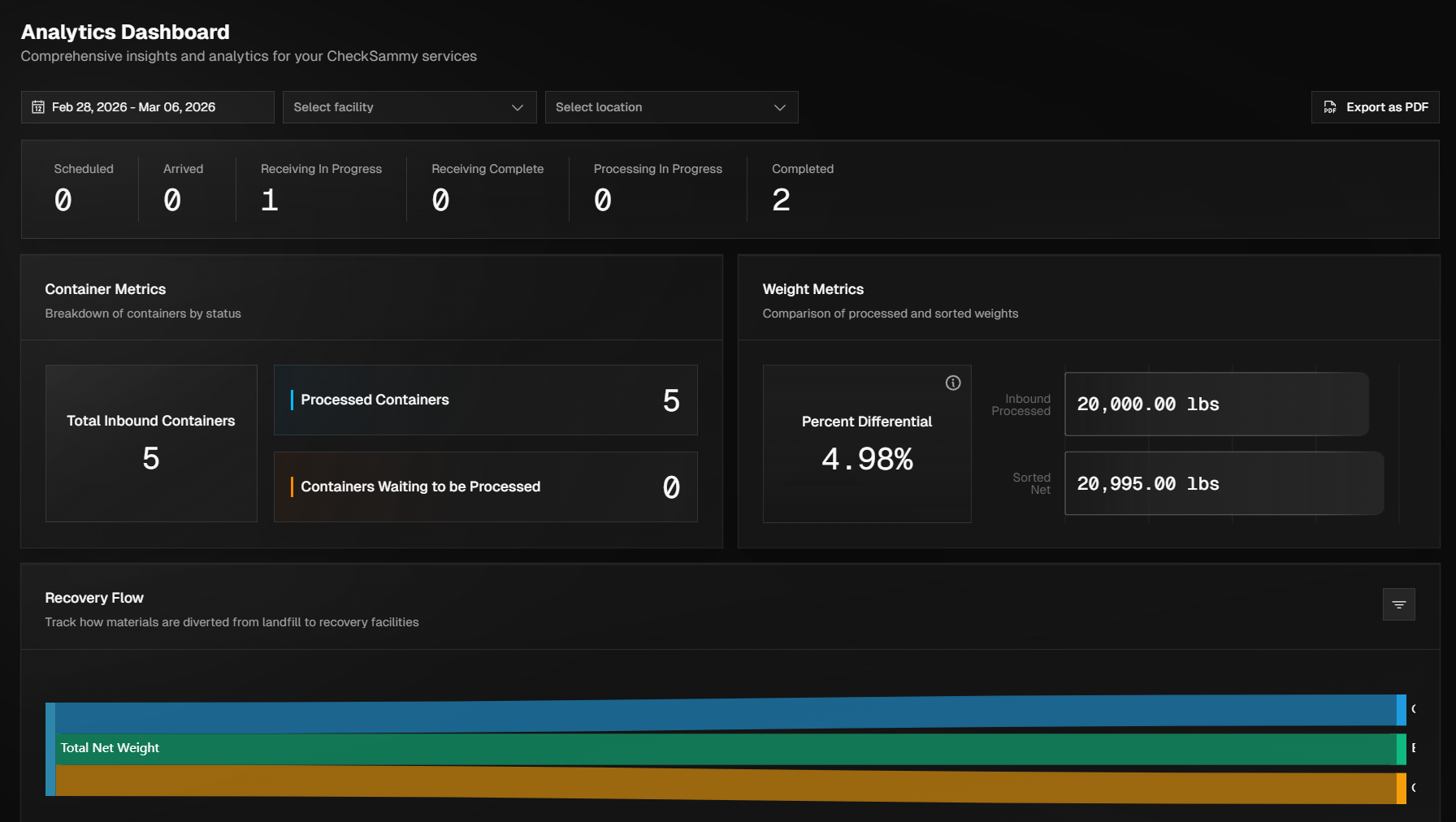
This page is designed to help customers analyze shipment activity, monitor trends, and gain insights into operational and sustainability performance. This page serves as a reporting and insight tool, enabling customers to better understand shipment activity, identify trends, and support internal planning and sustainability initiatives.
Accessing Analytics
To access the Analytics module, hover over the left navigation bar and select Analytics near the bottom of the menu or press Ctrl + K and click View Analytics in the menu that is displayed.
Analytics Information Overview
This page provides you with all the important statistics and trends to track and maintain a sustainable business.
The areas included on this page are:
Shipment Status Breakdown - Shows the number of shipments you currently have with us as well as a snapshot of where they are at in their lifecycle.
Container Metrics - Breakdown of containers by status.
Weight Metrics - This section shows the differential in weights from what was processed inbound compared to the sorted containers.
Recovery Flow - Track how materials are diverted from landfill to recovery facilities
Material Distribution - Bar graph showing the different material types that are in your shipments and the amount of each material. This allows the customer to understand what waste stream they make the most of.
Shipment Locations - Map view of all shipment origination sites.
Location Ranking - This will display all location as well as the percentage of shipped materials that have come from that location.
Filtering Analytics
You can use several filters to better understand your Analytics page. The Date Filter at the top left allows you to select preset time ranges or set a custom range using the calendar. If you utilize multiple ZeroPoint facilities, the Facility Filter lets you view data by individual facility, and the Location Filter allows you to narrow analytics down to a specific location for more detailed insights.