
Billing Profile Details
Overview
The Billing Profile Details view provides customers with a detailed summary of an individual billing profile used for invoicing and financial management.
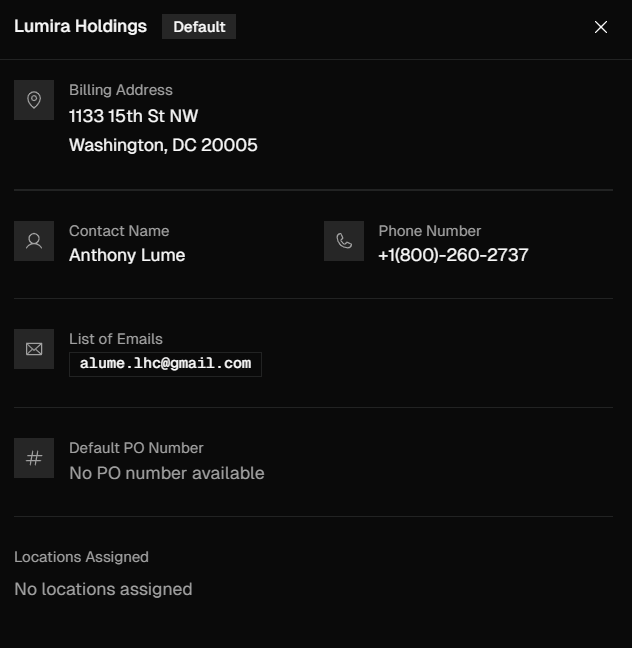
This view is designed to allow customers to review and maintain accurate billing information associated with their account. This view serves as the primary reference point for reviewing and managing billing information tied to services, requests, and projects within the platform.
Accessing Billing Profile Details
You can access Billing Profiles detailed view either by hovering over the navigation bar on the left side of the screen, click Invoices, tab over to Billing Profiles, then click any of the profiles or press Ctrl + K, click View Billing in the menu that is displayed, then click any of the profiles.
Editing Billing Profiles
To edit a billing profile, navigate to Billing, then open the profile by selecting the billing name or using the ellipsis menu and choosing Edit. Update the necessary information and click Update Billing Profile to apply your changes.
Emails & Default POs
Email Addresses - Each billing profile can have one or more billing email addresses associated with it. Each email entered in this field will receive the invoice when service is completed, the receipt when payment is made, and any other notifications involving invoices.
Default PO Number - The default PO number on a billing profile is automatically applied to all requests and invoices associated with locations using that profile, eliminating the need to enter the PO number each time a request, quote, or project is created.
Default PO Numbers should only be used if every request at this location will be billed under the same one. If each request needs a unique PO number, leave this field blank.