Account, Support & Theme
Overview
The Account page allows individual users to view and manage their personal account settings within the client portal. This page is designed to give users control over their profile information and preferences while maintaining account security. The User Account page serves as the primary location for users to maintain their personal information and preferences, supporting accurate communication and a consistent experience within the application.
Profile
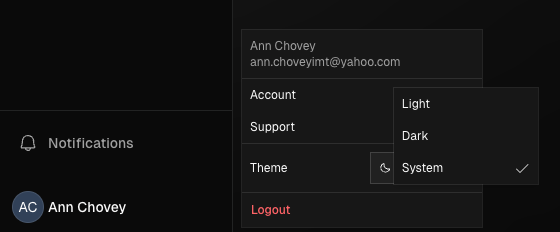
To access your profile, hover over the left navigation bar and click your name or initials at the bottom, then select Account. From there, you can view and update your personal information and preferences, upload a profile picture, and edit your contact details.
Support
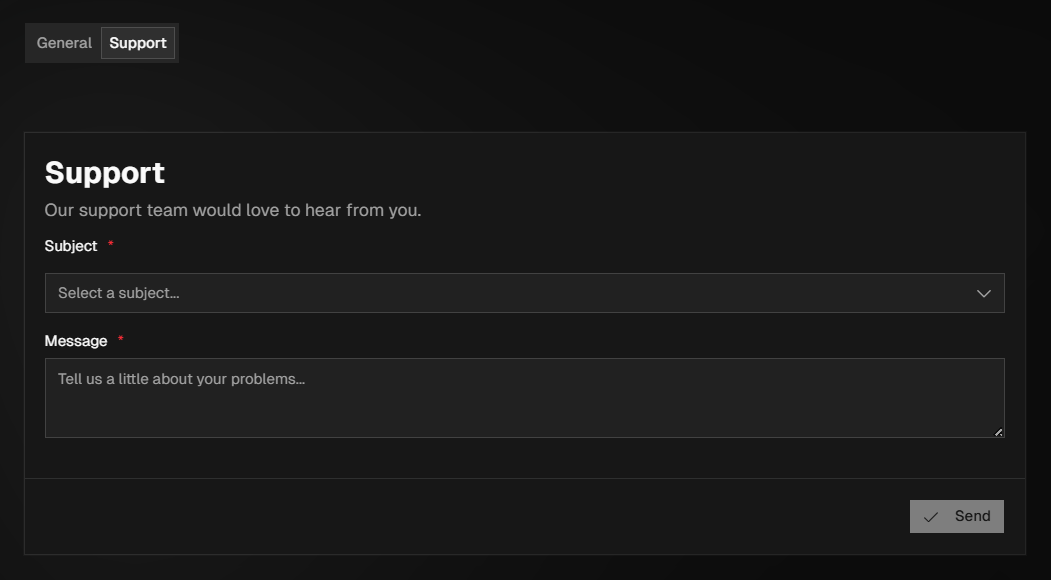
The Support tab allows you to contact customer support if you experience issues within the portal. We recommend reviewing this guide first, as it may answer your questions, but if you still need help, our support team is happy to assist.
To submit a support request, select the appropriate Subject from the drop-down (or choose General Support if needed), provide detailed information about the issue in the Message field, and click Send. Our support team will review your request and follow up shortly.
Theme
To change the theme, hover over the left navigation bar and click your name or initials at the bottom, then use the Theme drop-down to select Light, Dark, or System.