
Location Details
Overview
The Location Details page provides customers with a centralized view of a specific service location and all related information associated with that site.
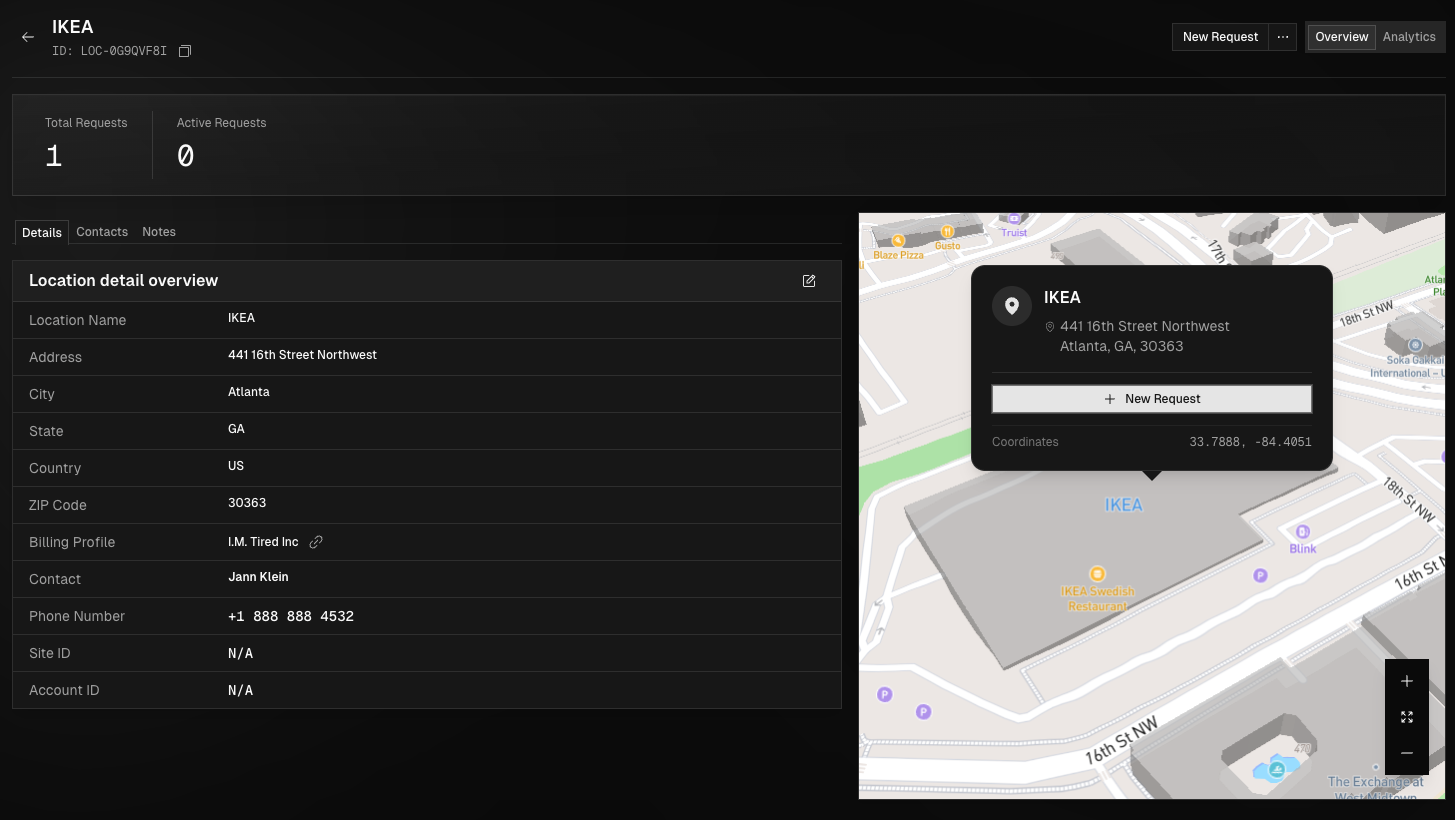
This page is designed to help customers understand location-level activity, manage location details, and initiate new service requests as needed. The Location Details page serves as the primary reference point for managing individual service locations and tracking all related service activity within the platform.
Accessing the Location Details View
To view a location details page, navigate to the Locations module using the navigation bar or Ctrl + K and click View Locations, then locate the desired location using search or from the list. Select the location or use the ellipsis menu and choose View to open the Location Details page.
Navigating Location Details
This page displays basic information for the selected location, including the location name, address, phone number, billing profile, and point of contact. It also shows the total number of service requests and the number of active requests associated with the location. From this section, users can edit location details as needed or delete the location. You can edit both location details and access instructions as needed, and may access the Analytics tab to view any Zeropoint activity related to the location.
Required Information Per Location
Each location in the portal must have these pieces of information in order to create them:
Location Name
Phone Number
Address (See address validation rules below)
Point of Contact (POC)
Billing Profile
Address Validation Rules
Addresses must be physical addresses. No PO boxes will be accepted when creating a location. They must also be able to be validated by our system and match addresses on file.
Address validation is based on Mapbox and it matches the information typed into Address 1 field with what Mapbox has on file.
Common mistakes:
Address Within a Mall or Strip Mall
These addresses aren't always validated and are usually different than the actual physical address. To avoid this look for the address to the entire mall or strip mall rather than the store itself and then either the location name or a suite number will give us the information we need to complete services at this location.
Not Verifying the Accuracy of Validated Addresses
Be sure to double check the validated address that populates before continuing because the validated address isn't always correct and any slight variation can cause unnecessary delays in service.