
Invoice Details
Overview
The Invoice Details page provides customers with a detailed view of individual invoices issued.
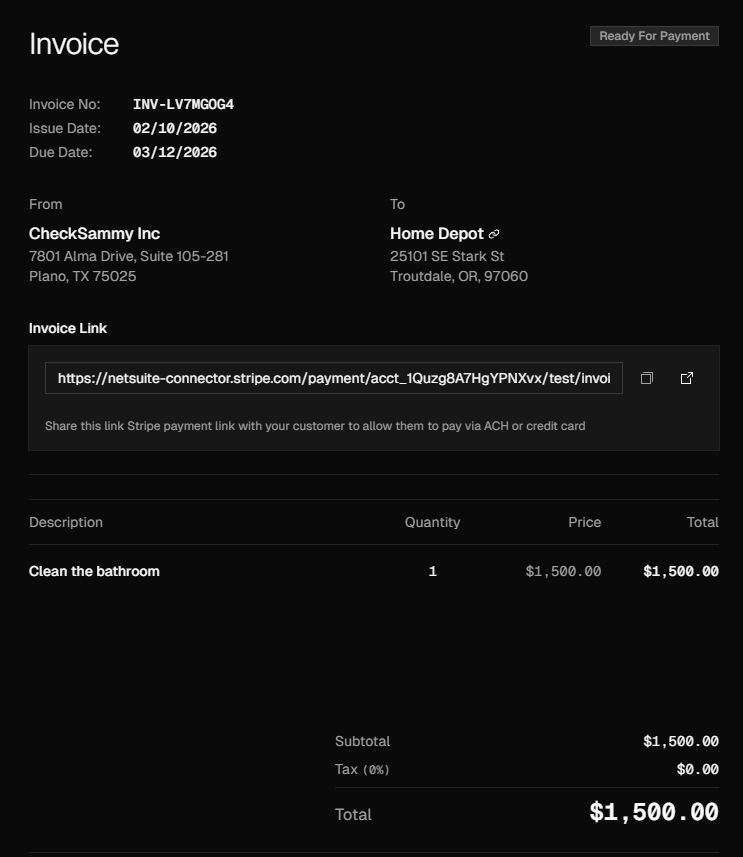
This page is designed to help customers review billing information, understand service charges, and track invoice status and payment timelines. The Invoice Details page serves as the primary reference point for reviewing invoice accuracy, understanding billed services, and managing payment-related follow-up when needed.
Accessing the Invoice Details View
To view the details of an individual invoice, navigate to Billing using the navigation bar or by pressing Ctrl + K and selecting View Invoices, then locate the desired invoice and open it by clicking the invoice number or using the ellipsis menu and selecting View.
There are many key pieces of information on each invoice including pricing, due date, service date, service type, and more.
Disputing Invoices
To dispute an invoice, begin by locating the invoice you wish to dispute and note key details, including the invoice number, service location, and total amount. You can initiate the dispute either by selecting Dispute Invoice from the ellipsis menu or by opening the Invoice Details page and selecting Dispute Invoice at the bottom of the invoice. You will be redirected to a support form with the subject line automatically populated as Dispute Invoice. In the message field, include the noted invoice details along with the reason for the dispute, then click Send. Our team will review your submission and follow up promptly.
Paying Invoices
To pay an invoice online with a credit card, open the Invoice Details page and select Pay Invoice or click Pay Invoice in the ellipsis menu in the Invoices module. You will be redirected to the Stripe payment platform to complete your payment. To pay by ACH or check, select the arrow next to Pay Invoice and choose the appropriate option: for ACH payments, enter the required banking information, select a payment date, and click Pay Now; for check payments, the mailing instructions will be displayed.